
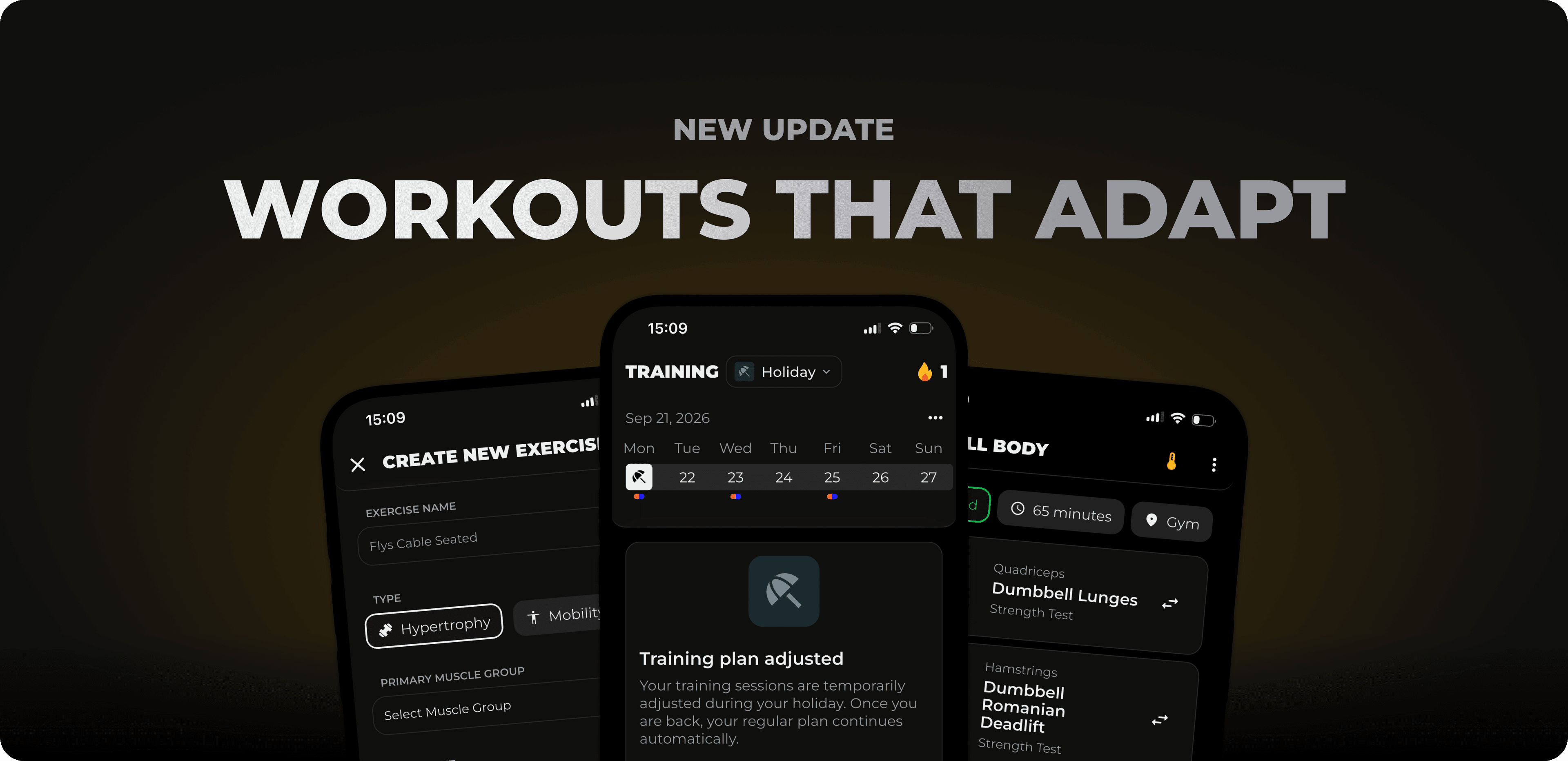
Sep 21, 2026
A training plan is quickly made. What's more difficult is sticking to it in everyday life: sometimes you spontaneously have only 40 instead of 90 minutes, sometimes you train with friends at the gym or at home, sometimes you're on vacation for two weeks. In this release, we've focused on ensuring that MCI goes with you in exactly these situations, instead of you throwing your plan overboard.
In this release:
Flexible training adjustment: Adjust time, location, and equipment directly during your workout. MCI adapts the session for you.
Vacation mode: Pause during vacation with protected streak, or let us create a suitable plan for your vacation time.
Custom exercises: Create exercises that don't yet exist in the database and use them in your workouts.
Plus many more improvements throughout the app.
Your plan is designed for 90 minutes at the gym, but today you only have 45 minutes and you're training at home. Previously, that meant: improvise or skip it. From now on, you can adjust your workout directly in the app.
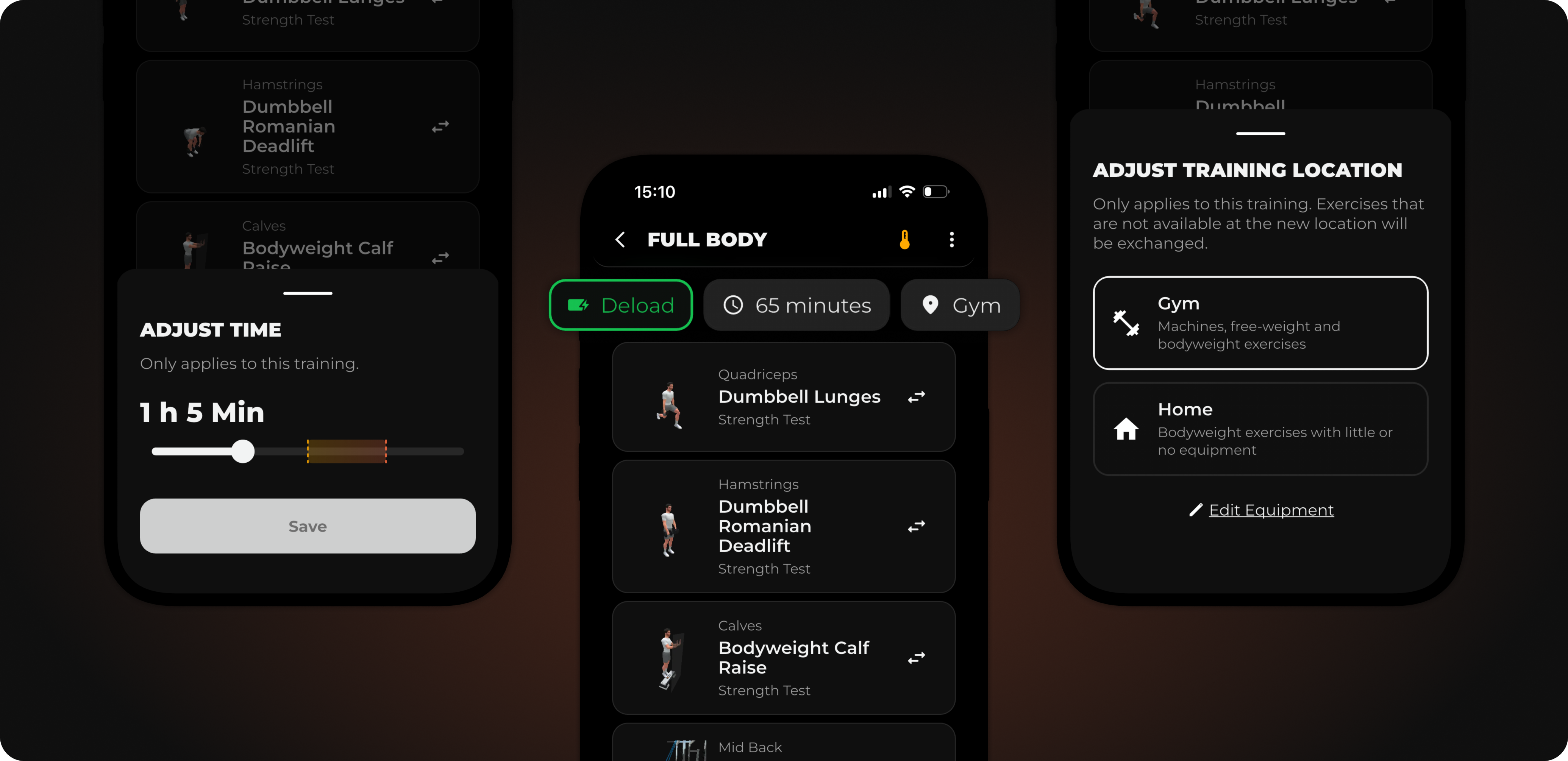
At the top of your training, you now see three chips: the week type, the planned training time, and your training location. When you tap on a chip, you can change the value for this one session. A different week type, less time, a different location, or different equipment. Your adjustment applies only to today; your actual plan remains unchanged.
MCI retains as much of your training as possible
What was important to us: You don't get a completely new training with five unfamiliar exercises. MCI keeps as many exercises as possible and prefers to adjust the details instead. With less time, for example, sets are reduced rather than exercises being removed. If you change location or equipment, MCI creates a new training for you that matches what is available to you on site
Previously, MCI only had sick mode when you needed a break. But vacation is different: some people just want to switch off, others like to keep training, just differently than at home. Vacation mode covers both.
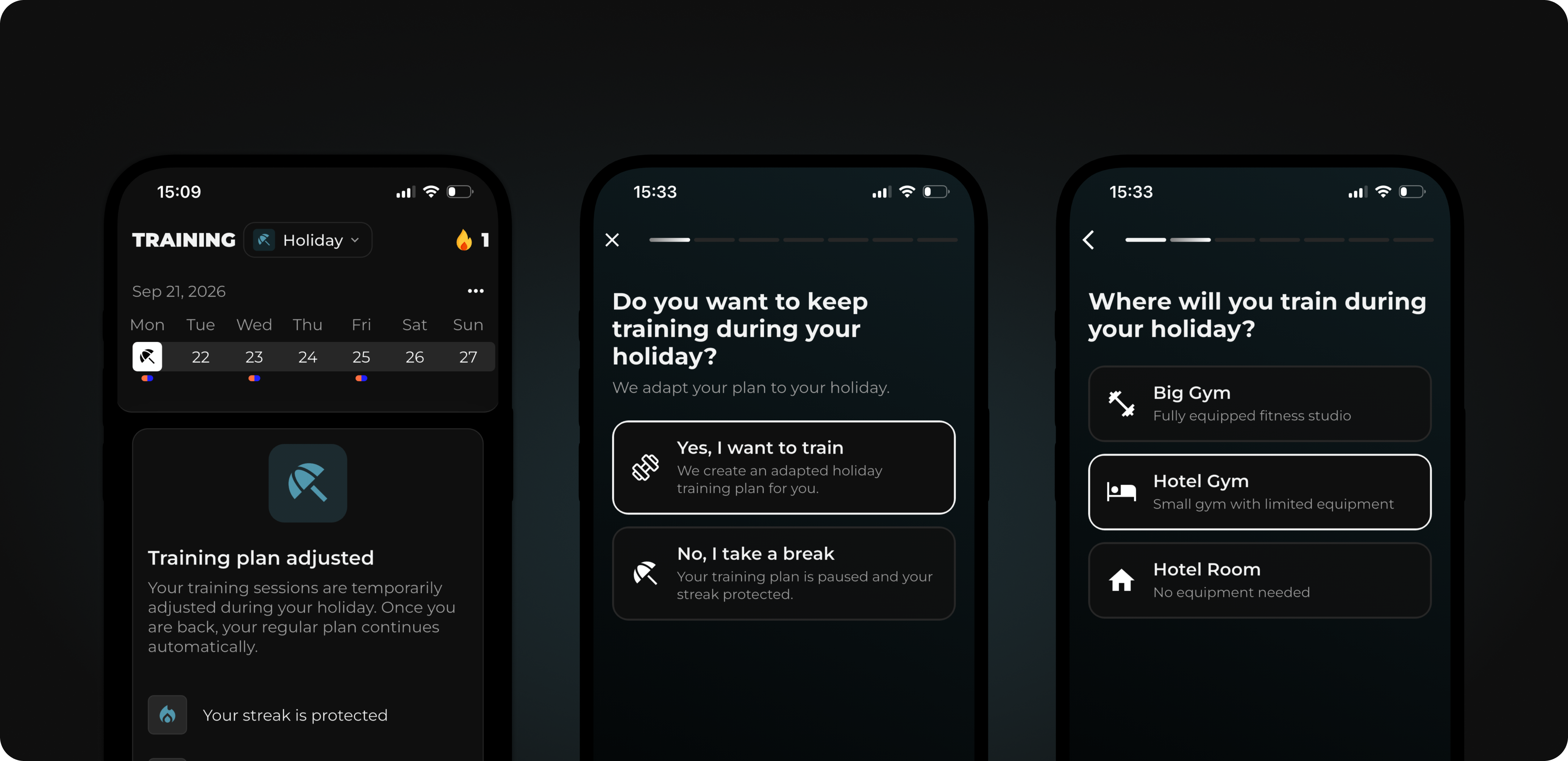
Using the status pill at the top of your training dashboard, you can now choose between Active, Sick, and On Vacation. For vacation, you set how long: 7 days, 14 days, until you change the status again, or a custom time period via the calendar with start and end dates.
Then you decide: take a complete break, and your plan will be paused like in sick mode and your streak will be protected. Or you keep training. In that case, MCI asks you a few short questions: where are you training on vacation, how often, with which split, and how long per session. For each question, you get a recommendation from MCI, and at the end you have a plan that is tailored exactly to your vacation time. After your vacation, you continue with your regular plan.
When you train an exercise that doesn't exist in our database, you previously had to use a similar exercise or note it outside of MCI. That's now a thing of the past.
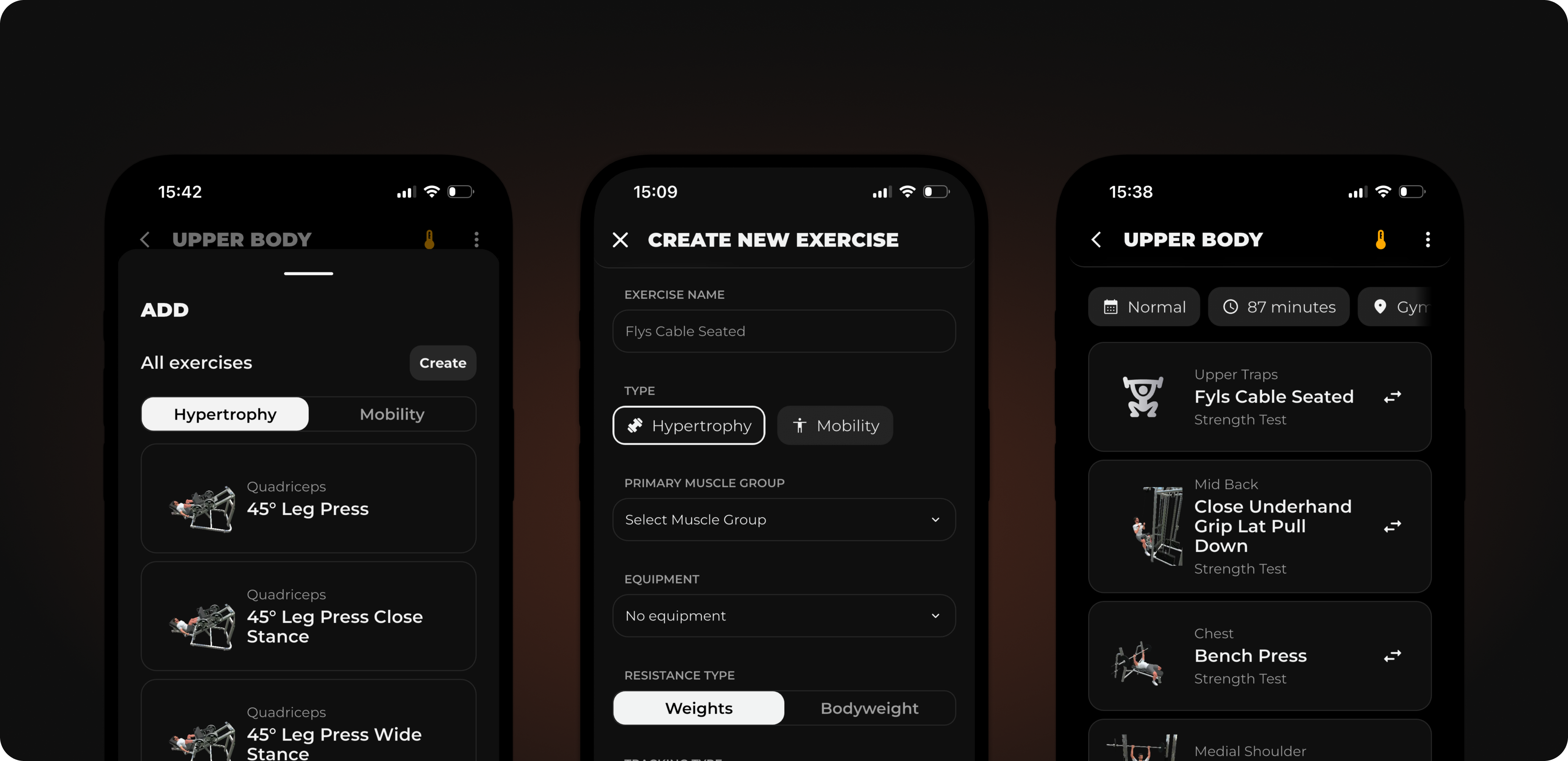
In your training's edit mode, you'll find a new "Create" button at the top next to "Add Exercise". Even if your search doesn't return any results, you can create the exercise directly from there. You assign a name, select the type, primary and secondary muscle groups as well as equipment, and specify whether you're training with weight or bodyweight, whether you progress by repetitions or time, and whether the exercise is performed unilaterally or bilaterally. That's all you need.
After creating it, you can immediately add the exercise to your open training and set sets and repetitions. Your custom exercises are only visible in your account, you can edit them at any time and delete them as well.
In addition to the major features above, we've made adjustments in many small places.
Creating food items is now easier: Use the new menu in the top right of the search to quickly create an entry, add a new food item, or create a recipe.
When you scan a barcode we don't yet know, you can add the food item directly from the scanner.
The barcode scanner now only reads the code in the marked area, so other codes in the image are not accidentally detected.
External cardio units are now displayed again in the calendar.
Pectoralis stretch and pectoralis rollout are now correctly tracked as bilateral exercises.
That's all for this update. Follow us on Instagram for the latest updates and training tips.
Do you have a feature request? Submit it directly on our Roadmap or vote for existing requests. We prioritize what is most requested. You can report bugs directly in the app via Settings → Report Bug.
If you like MCI, a rating in the App Store would help us enormously. Thank you!
