Changelogs
Stay up to date with the latest changes and enhancements.
Stay up to date with the latest changes and enhancements.

Stay up to date with the latest changes and enhancements.
24. Aug 2026
Share
In this update, we're significantly expanding the connection between MCI and Apple Health or Health Connect: MCI is now writing your data there for the first time and reading more data types than before. Plus minor improvements and bug fixes throughout the app.
In this release:
MCI now writes data too: What you log in MCI now also goes to Apple Health or Health Connect.
MCI reads much more: Data from other apps and devices now flows into MCI more comprehensively.
Recovery from sleep data: MCI estimates how recovered you are based on your sleep and takes that into account in your training.
Plus many more improvements throughout the app.
MCI was already able to read your steps and workouts from Apple Health and Health Connect. From now on, the sync covers more data types and works in both directions.
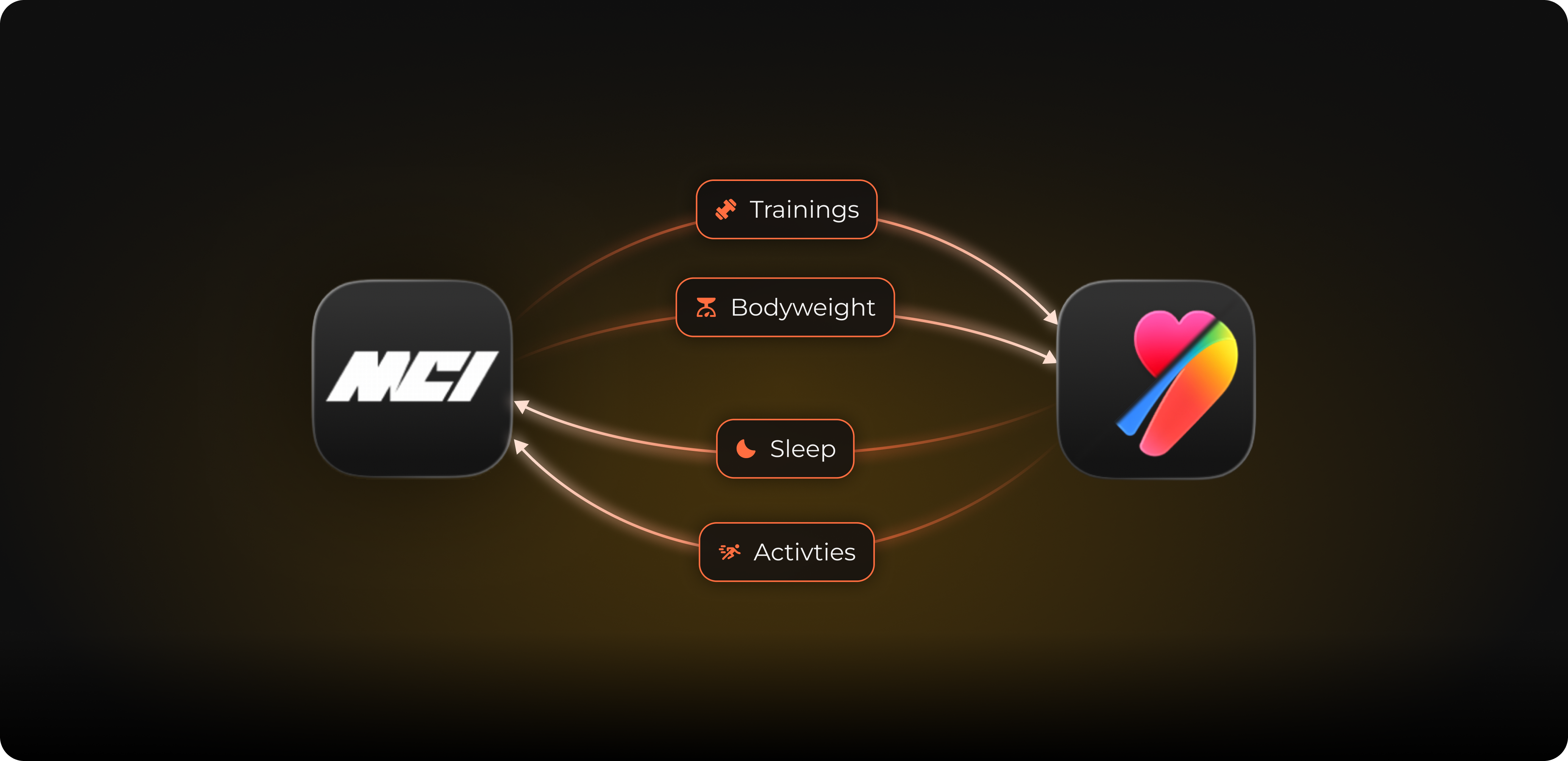
This is completely new. MCI automatically writes your workouts, your activity energy, your weight, your body fat percentage, and your height to Apple Health or Health Connect. This means everything you log in MCI is also in your Health app and in all apps that access it.
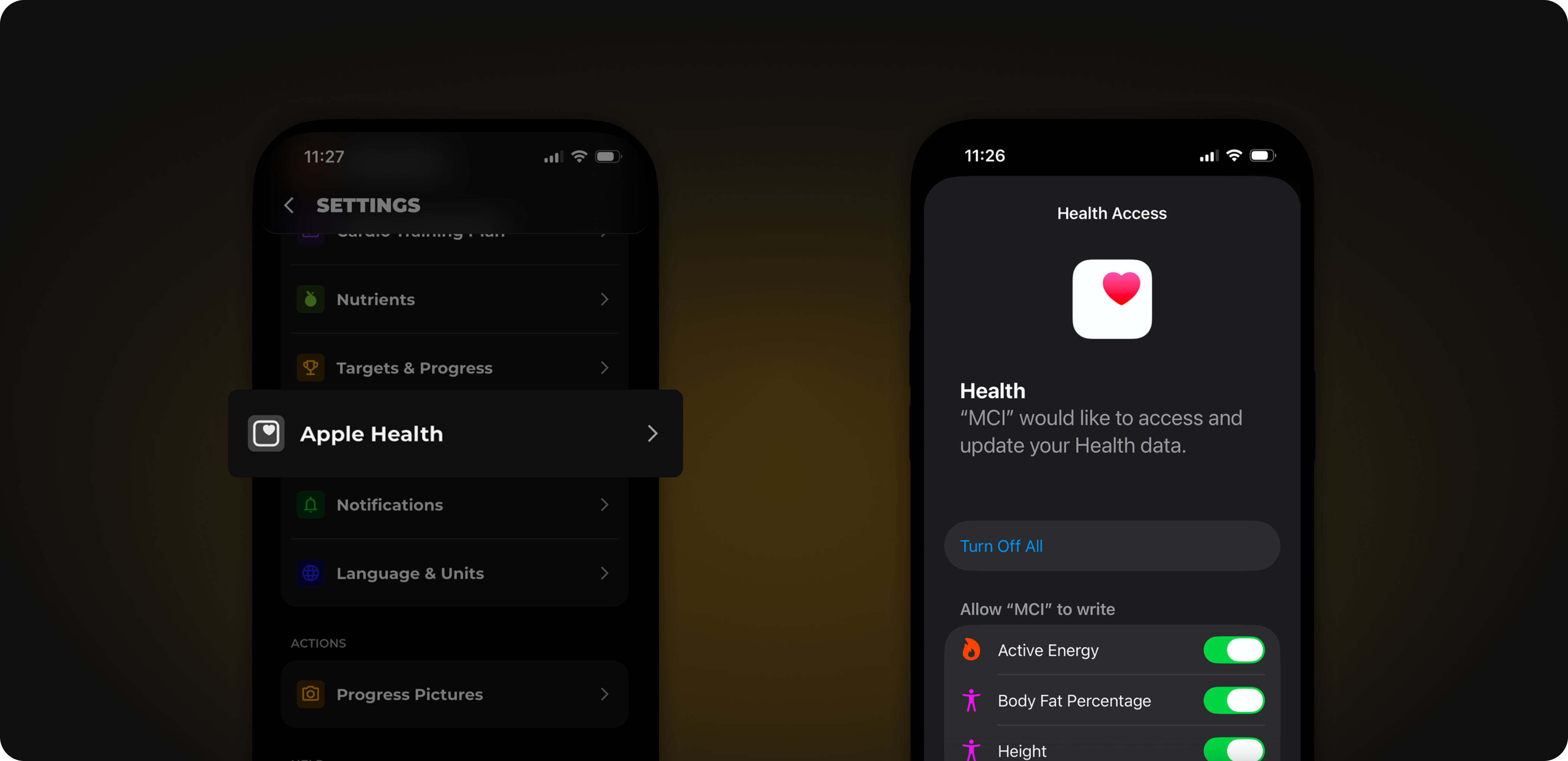
In addition to steps and workouts, MCI now also reads your weight, your height, your body fat percentage, your activity energy, your sleep, your distance from walking and running, as well as your date of birth and your gender. This way you always have the complete picture in MCI, regardless of what you use to track. You decide at any time which data MCI is allowed to read and write.
A small preview: If you are a woman, MCI can also synchronize your menstrual data. This is purely optional; you can also disable the permission. You won't see anything of this in the app today, as we are preparing this for an upcoming update.
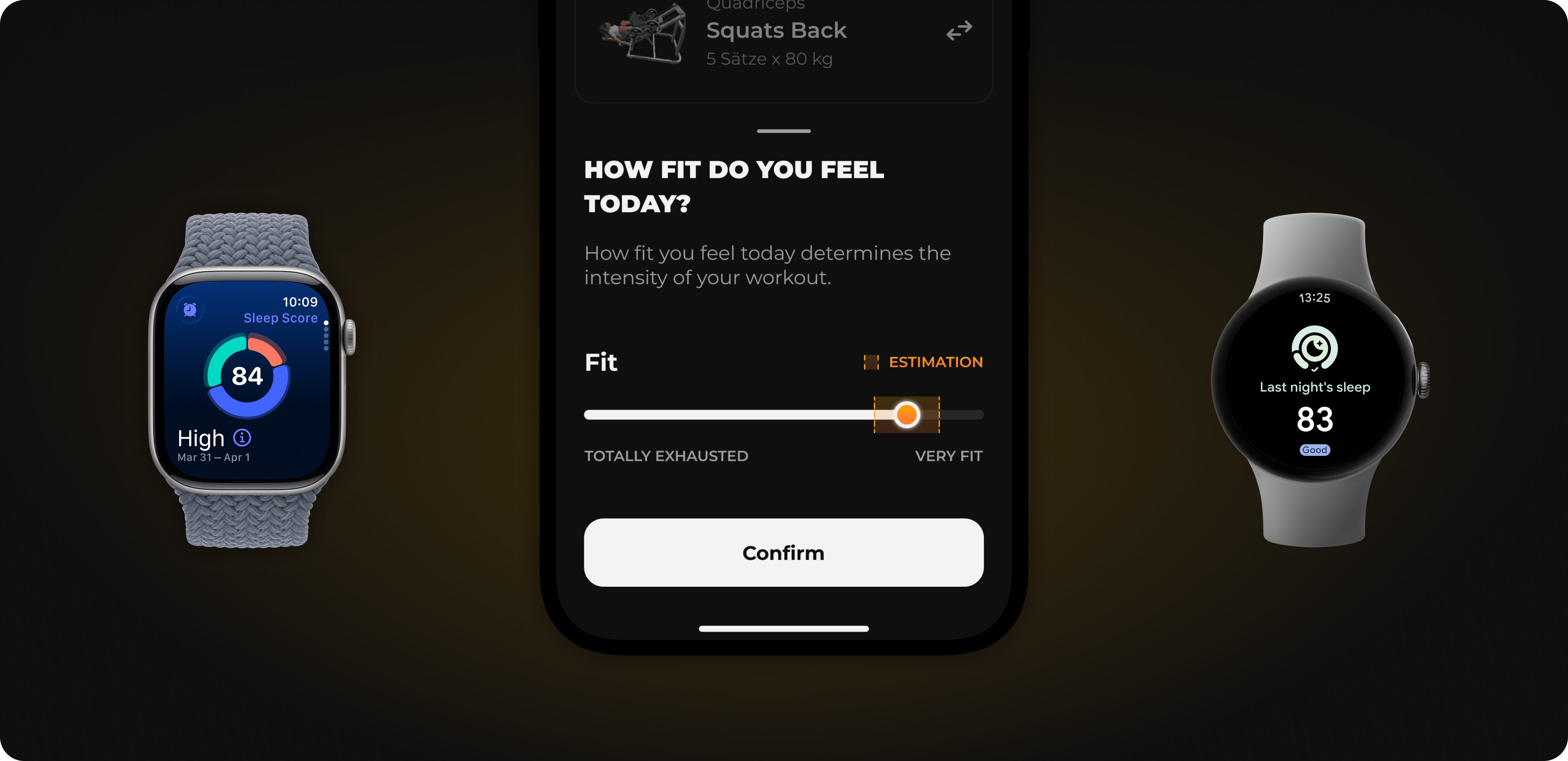
MCI now actively uses your sleep: MCI estimates how recovered you are from it and takes this into account in the recovery slider before your workout. The recommendation thus adapts to your night.
To prevent chaos when two apps read and write the same data, MCI automatically filters out duplicate entries. A workout that MCI itself wrote to your Health app will not appear in MCI again as a new activity.
The setup only takes a moment:
Open the settings in MCI.
Select Apple Health or Health Connect.
Grant the new permissions.
After that, the exchange runs automatically in the background.
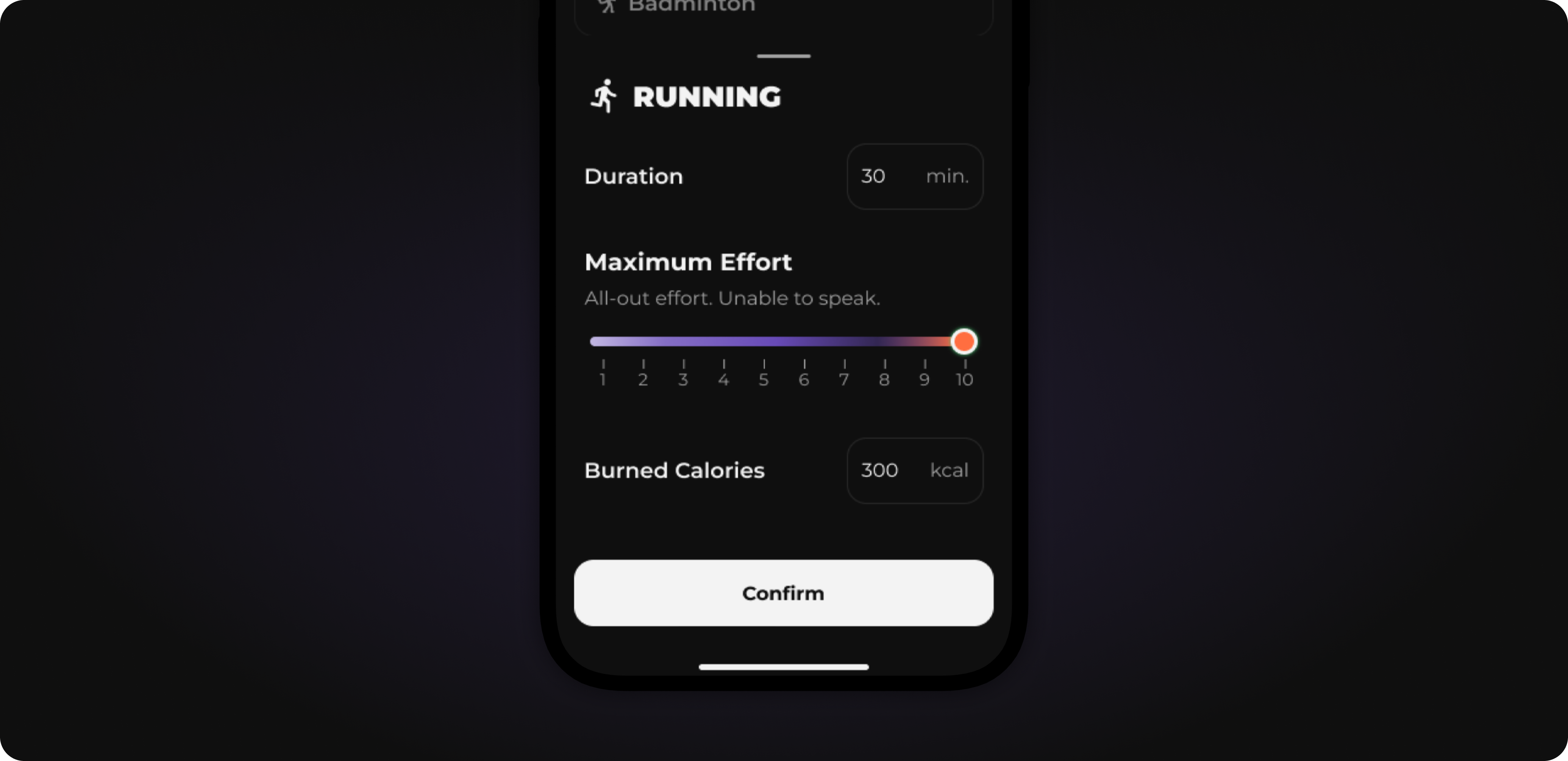
Activity logging has been fundamentally redesigned. You can specify the perceived exertion from 1-10 and thus get a more accurate estimate of calories burned.
In addition to the major feature above, we have made adjustments in many small places.
The selection at the end of training, which changes you incorporate into your plan, is now clearer.
The tutorial in the first training has been completely revised and optimized.
When you change your training plan in settings, your selection remains: A plan that would only start with the next mesocycle no longer overwrites it.
For verified foods, "Awaiting approval" is no longer incorrectly displayed even though you did not request any changes.
When moving mobility training in the calendar, the markings are now displayed cleanly again.
That's it for this update. Follow us on Instagram for the latest updates and training tips.
Do you have a feature request? Submit it directly on our Roadmap or vote for existing requests. We prioritize what is most requested. You can send bugs directly to us in the app via Settings → Report Bug.
If you like MCI, a rating in the App Store would help us enormously. Thank you!
06. Aug 2026
Share
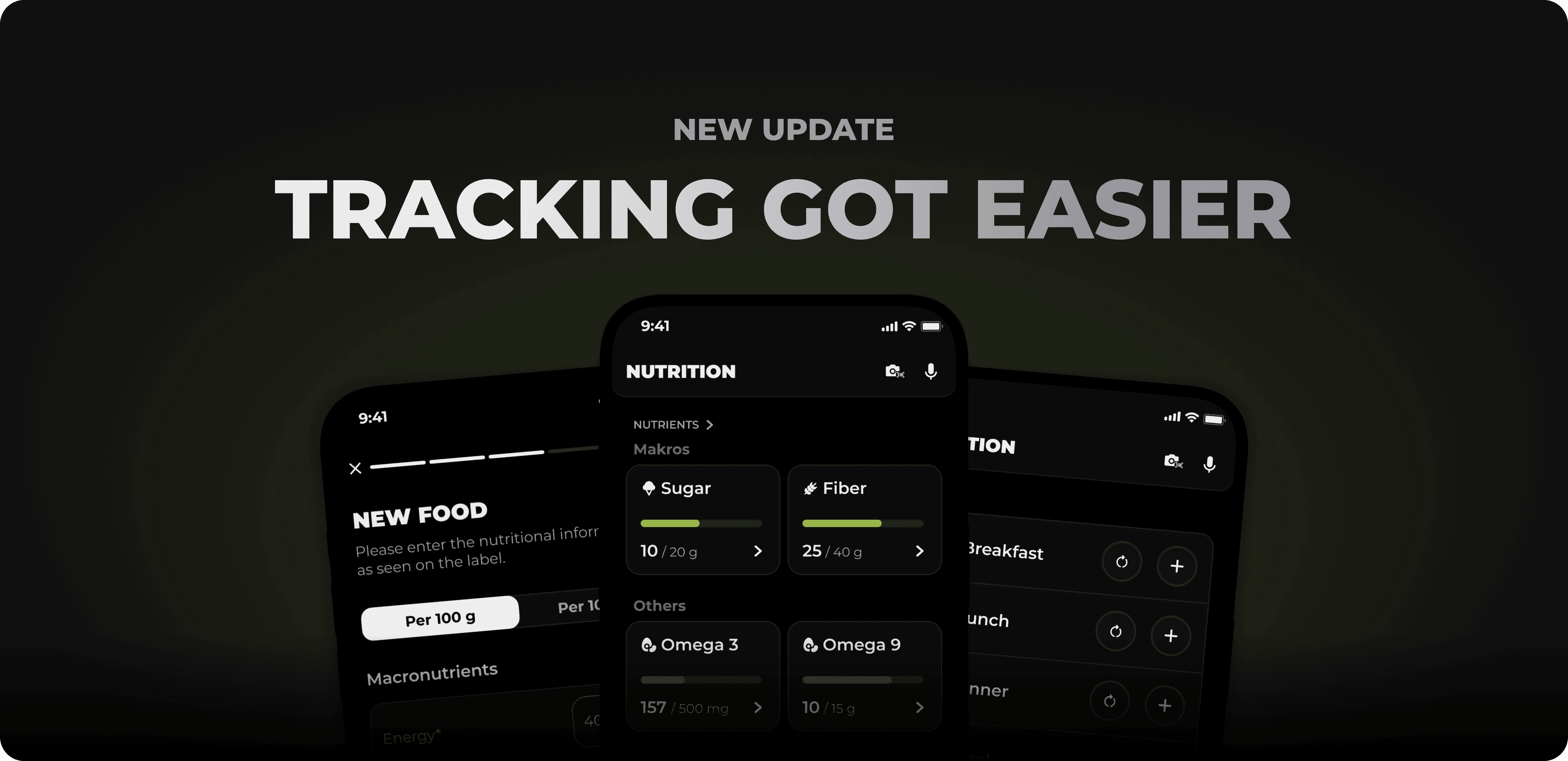
This update is all about precise and simple tracking. You'll get a new micronutrient tracker, can add your own foods directly in the app, and can log your recent meals much faster.
In this release:
Micronutrient tracker: From now on, you can track over 40 vitamins and minerals and see how well your diet covers them.
Create and edit foods yourself: If a food is missing, you can now add it yourself with all nutritional values or adjust existing entries.
Track recent meals faster: Recurring meals are now done in two clicks.
Plus many more improvements throughout the app.
Many people don't get enough of certain vitamins or minerals, often without realizing it. Until now, you couldn't track this specifically in MCI. That changes now.
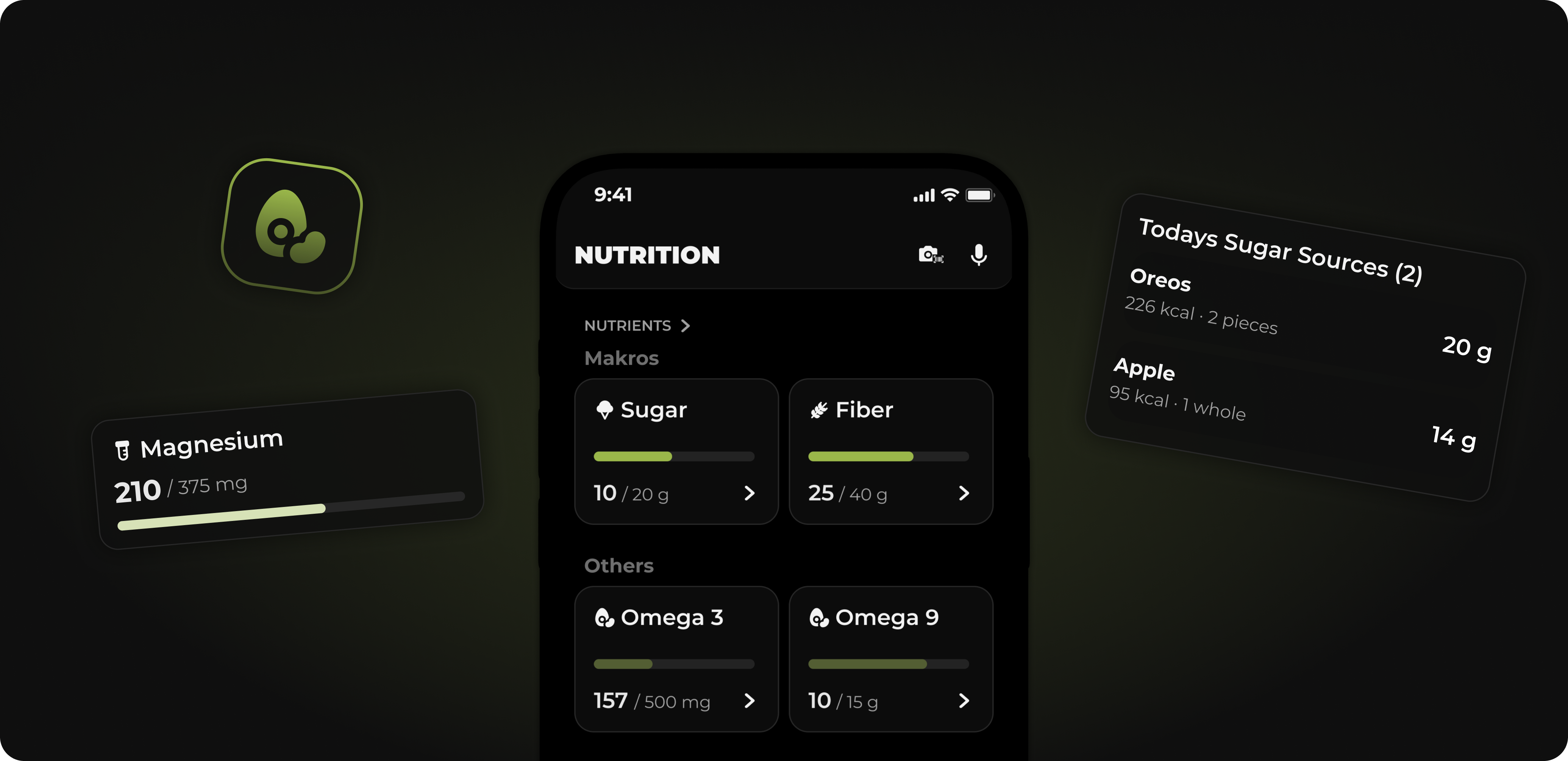
You can choose from a curated list of over 40 micronutrients, such as vitamin D, sugar, fiber, iron, magnesium, or zinc. Each nutrient has a standard daily target that you can customize individually in the settings or disable entirely. The daily values reset every night at midnight in your time zone.
On the nutrition dashboard, you can see at a glance which nutrients you are below, at, or above your target, and can directly add more where something is still missing. Even without setting up your own targets, MCI shows you the most important values by default, such as sugar, saturated fat, fiber, and salt. This way you get an immediate overview of how balanced your daily diet is.
This feature was one of the most frequently requested improvements to food tracking, and as of now it's here.
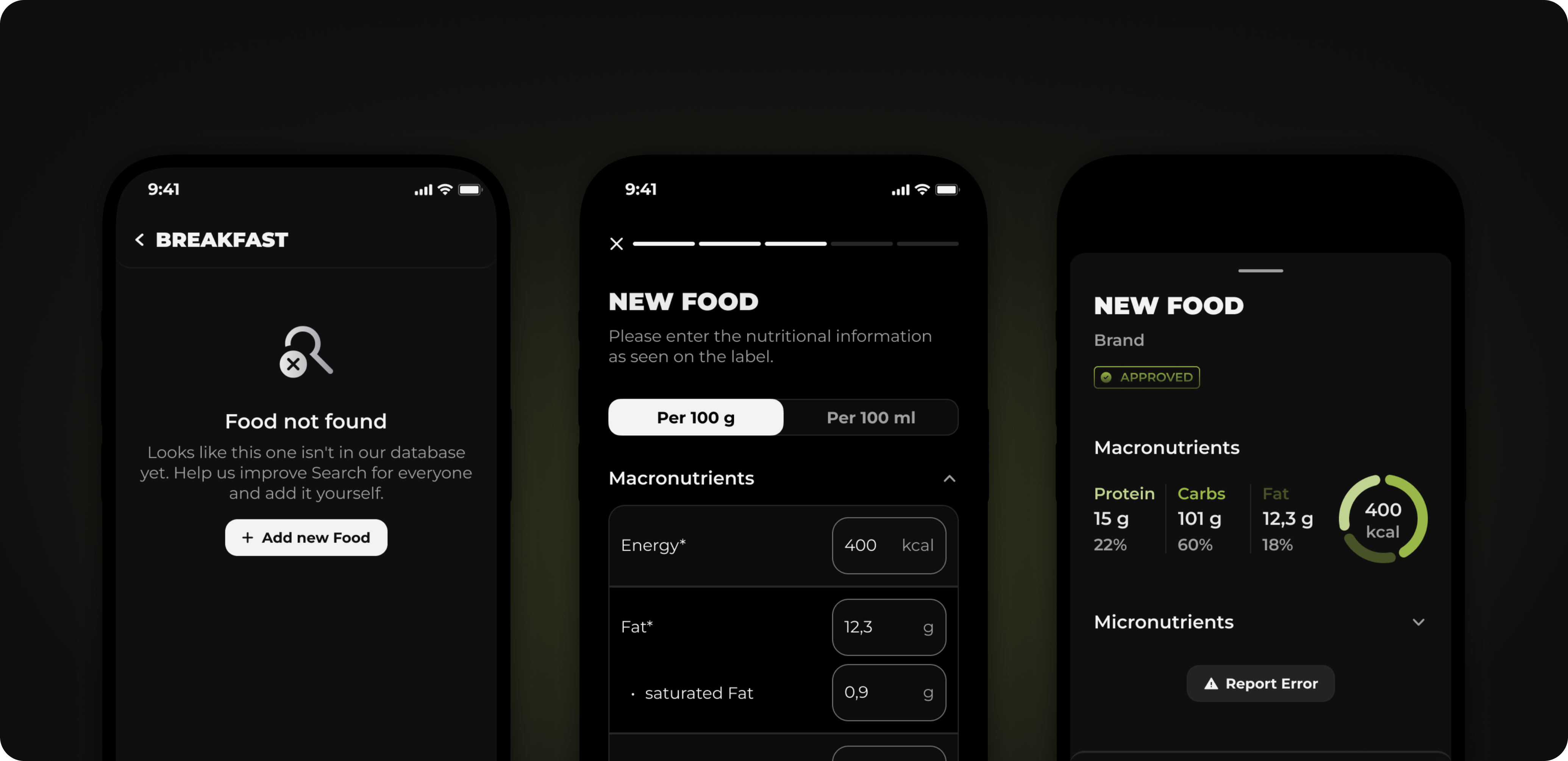
If you can't find a suitable food in the search, you no longer have to enter it inaccurately or skip it: you can create it directly there yourself, with calories, macros, and portion size. You can add micronutrients if you know them. They are not required.
If something is wrong with an existing entry, you can correct it via "Report Error" in the food details. You can edit any entry except our own, editorially maintained foods.
You can use your new or corrected food immediately for your own tracking. For everyone else, it will only be visible after we have reviewed it, then it will receive a "Verified" badge. This keeps the database reliable while your tracking becomes more accurate and easier.
If you often eat the same meals, you previously had to enter each food item individually every time. That wasted unnecessary time. That's why we built Quick Log.
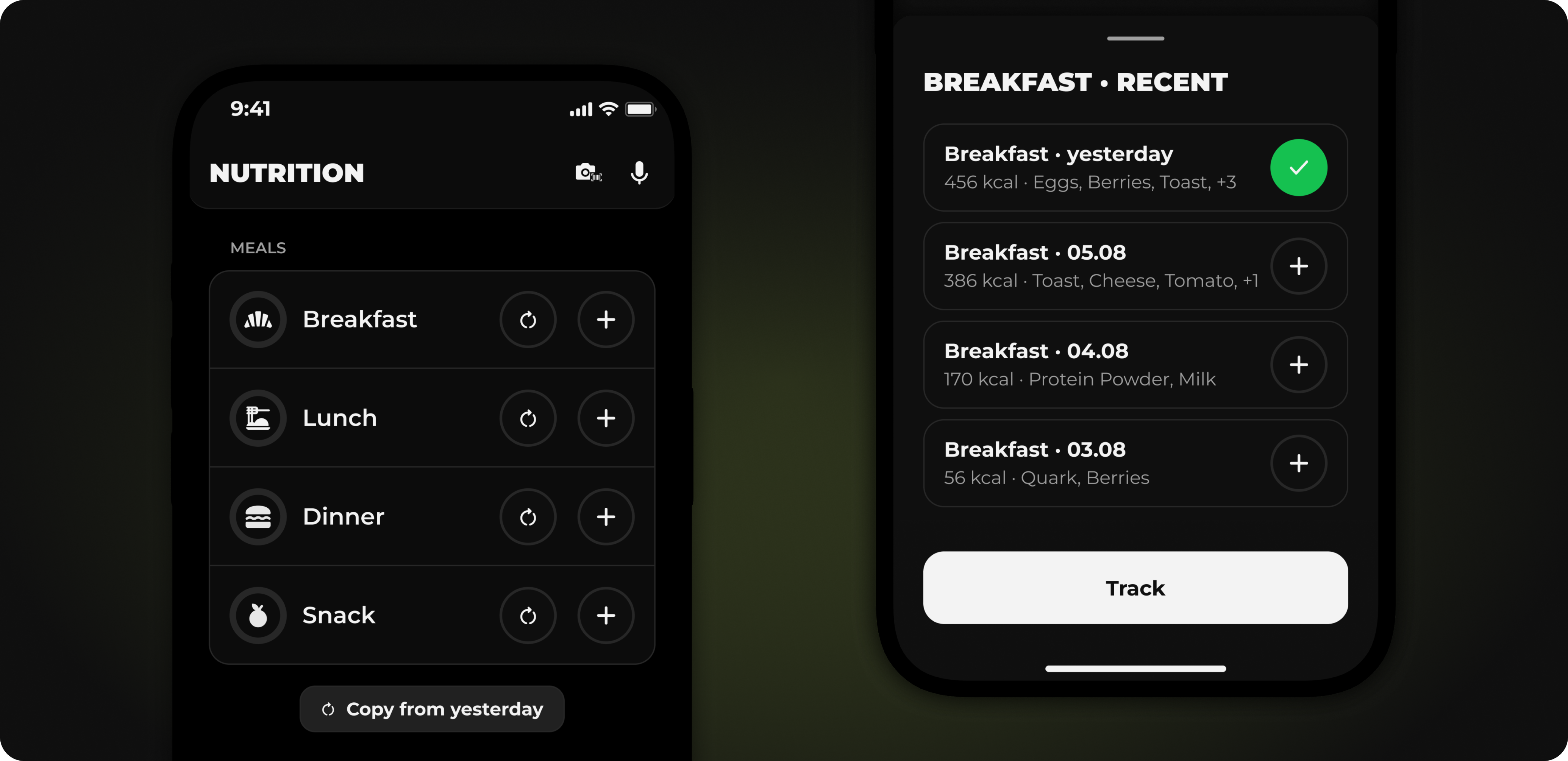
Now MCI shows you your recently tracked meals in the matching category in an empty meal, including calories and ingredients. A single tap is enough to track them again. For people who meal prep, this is a real game changer.
If you already recorded your meals yesterday, you can also copy them completely for today with one click. You can also deselect individual meals.
In addition to the major features above, we've made adjustments in many small places.
Scheduled training plans that start in the future can now be deactivated.
Login error messages are now more clearly worded.
Workout mode on iOS no longer restarts at every set pause.
Double set in active couch stretch now works correctly
Do you have a feature request? Submit it directly on our Roadmap or give your vote to existing requests. We prioritize what is most in demand.
If you like MCI, a rating in the App Store would help us enormously. Thank you!
30. Apr 2026
Share
In diesem Release stehen Super Sets im Mittelpunkt — eines der ältesten Wunschthemen aus der Community. Daneben haben wir den Trainings-Modus aufgeräumt, einen Live Timer eingebaut und unsere Übungsbibliothek vereint, sodass Kraft und Mobility endlich nebeneinander Platz haben.
In diesem Release:
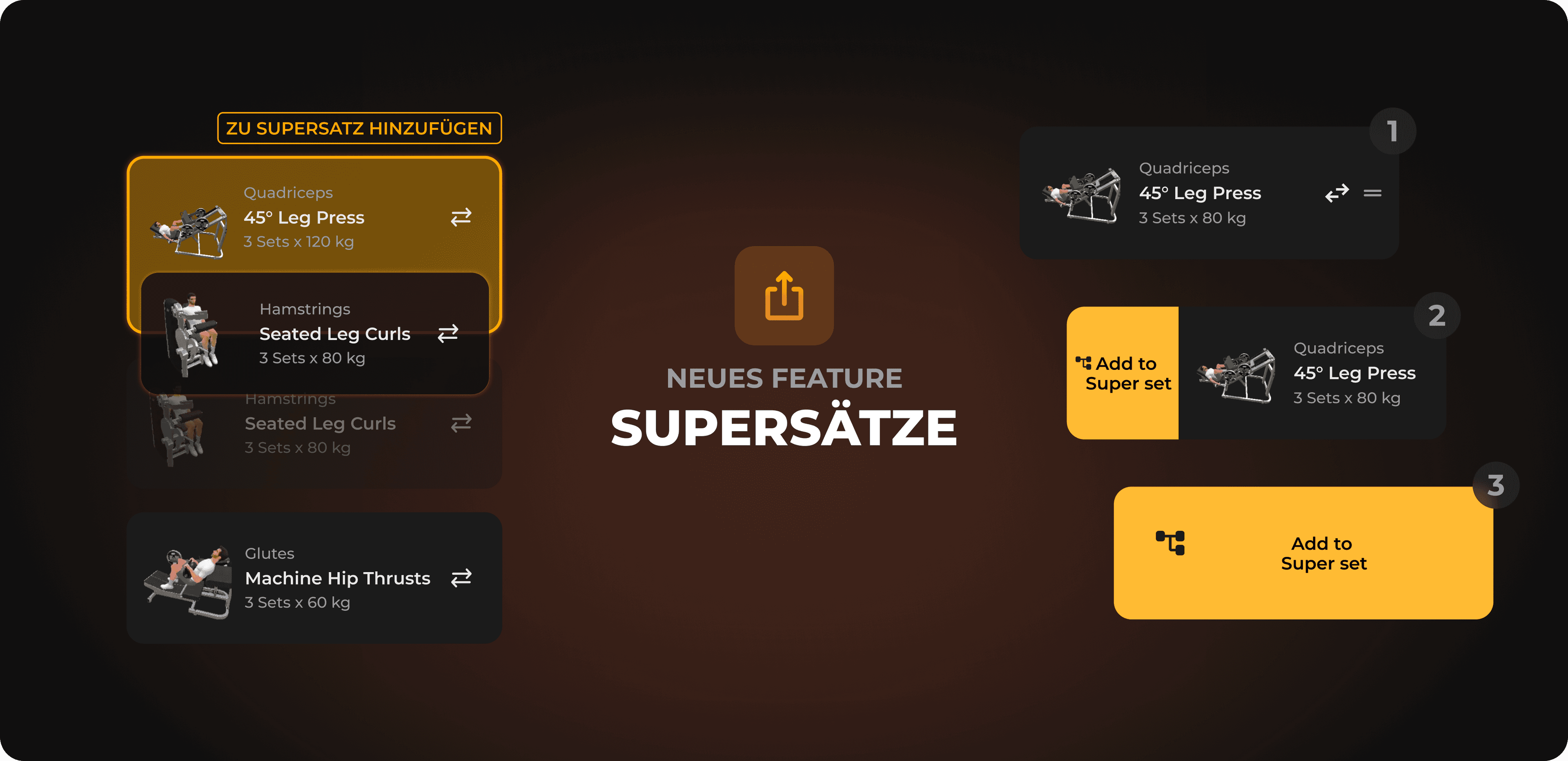
Supersätze: Zwei oder mehr Übungen direkt hintereinander ohne Pause — spart Zeit und bringt mehr Volumen ins Training.
Live Timer im Training: Sobald ihr ein Training startet, läuft die Session-Zeit oben mit.
Unified Exercise Library: Kraft- und Mobility-Übungen sind jetzt in einer gemeinsamen Bibliothek auffindbar.
Trainings-Bearbeiten neu aufgebaut: Übungen verschieben, anpassen und Sätze ändern fühlt sich deutlich klarer an.
Plus viele weitere Verbesserungen quer durch die App.
Super Sets sind endlich da. Eines der meistgewünschten Features auf eurer Wunschliste — und ab jetzt fester Bestandteil eures Trainings.
Beim Supersatz führt ihr zwei oder mehr Übungen direkt hintereinander aus, ohne Pause dazwischen. Erst nach dem letzten Satz der Übungsgruppe wird pausiert. Im Trainingseditor markiert ihr einfach die Übungen, die ihr verbinden wollt, und sie werden als Supersatz zusammengefasst.
Statt zwischen jedem Satz 2–3 Minuten zu warten, geht ihr direkt in die nächste Übung. Das spart pro Trainingseinheit schnell 10–20 Minuten — perfekt für Tage, an denen es kürzer sein muss, ohne dass ihr Volumen verliert. Gleichzeitig könnt ihr antagonistische Muskelgruppen kombinieren (z.B. Brust und Rücken), was den Trainingsreiz nochmal verändert.
Beim ersten Anlegen eines Supersatzes gibt es ein kurzes Tutorial, das euch durch den Flow führt.
Sobald ihr ein Training startet, erscheint oben ein Timer, der die Session-Zeit live mitlaufen lässt. So habt ihr jederzeit im Blick, wie lange ihr schon dabei seid — ohne dass ihr extra in eine Stoppuhr wechseln müsst.
Bisher waren Kraft- und Mobility-Übungen in der App strikt getrennt. Das hat es schwer gemacht, etwa eine Mobility-Übung zur Schulteraktivierung mitten in ein Krafttraining einzubauen, obwohl genau das wissenschaftlich Sinn ergibt.
Mit diesem Release sind beide Datenbanken in einer Übungsbibliothek vereint. Ihr könnt im Krafttraining weiterhin nach Muskelgruppen und Equipment filtern wie gewohnt — Mobility-Übungen lassen sich daneben über einen eigenen Filter dazuholen, wenn ihr sie braucht. Der Standard-Flow für eine Kraftübung bleibt genauso schnell wie vorher.
Der Bearbeiten-Modus eures Trainings wurde von Grund auf überarbeitet. Übungen verschieben, Sätze anpassen und Reihenfolgen ändern fühlen sich jetzt klarer und konsistenter an. Auch das Hinzufügen und Entfernen einzelner Sätze ist direkter zugänglich.
Zusätzlich zu den großen Features oben haben wir an vielen kleinen Stellen geschraubt.
KI-Transformationen lassen sich jetzt löschen, wenn euch ein Ergebnis nicht gefällt.
Nach einer KI-Transformation könnt ihr direkt eine neue Variante regenerieren.
Die KI bekommt mehr relevante Daten in den Prompt, sodass die Ergebnisse näher an euren Eingaben liegen.
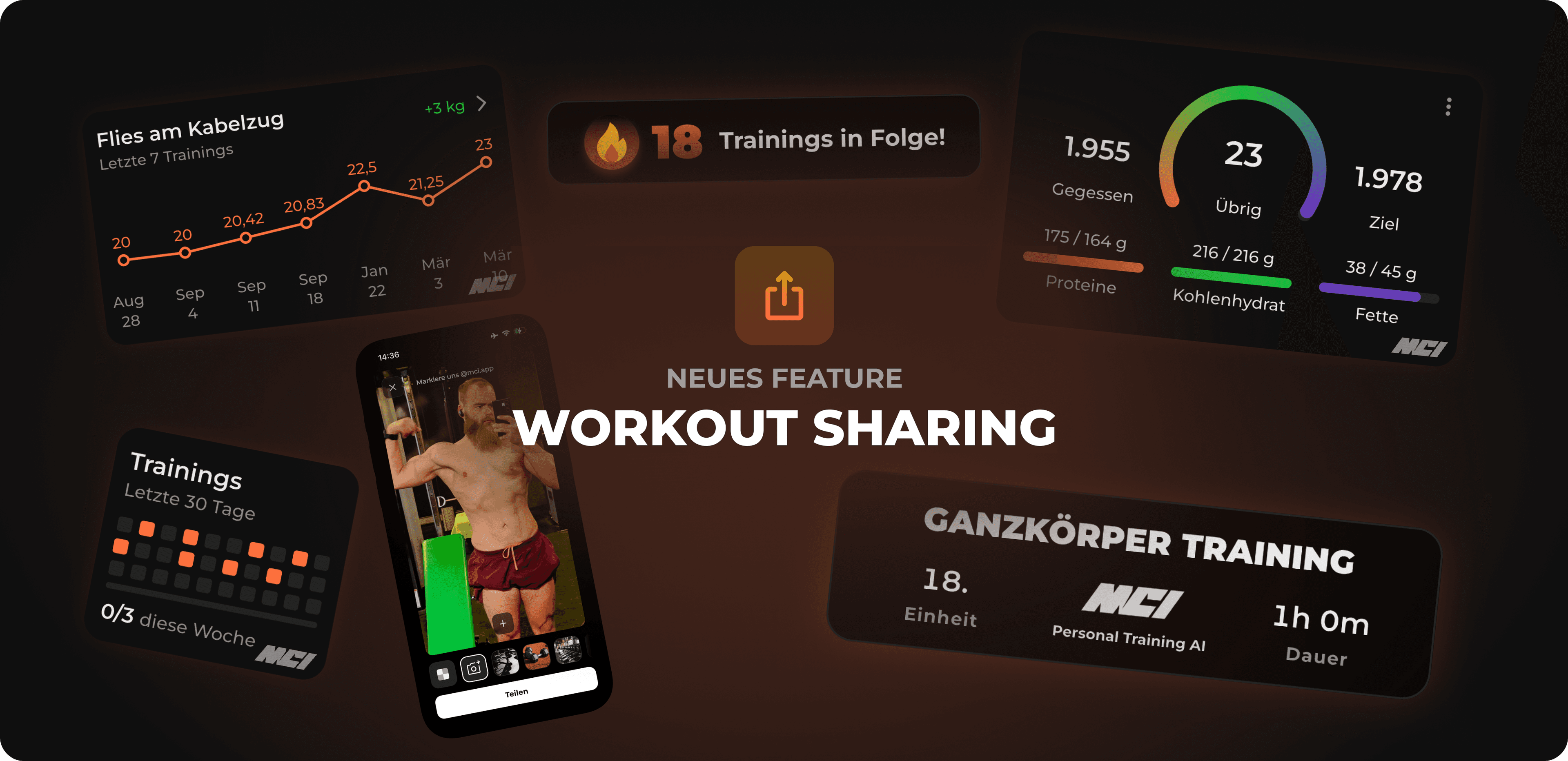
Kamera-Wechsel beim Workout Sharing verfügbar
Verbesserte Berechnung der geschätzten Trainingszeit
Pause-Button funktioniert wieder zuverlässig beim Scrollen — das Drill-Sheet lässt sich auch mit offener Snackbar wegswipen.
Sticker lassen sich beim Drehen mit zwei Fingern nicht mehr unkontrolliert verschieben.
Diverse Bugs in der Body-Forecast-Anzeige behoben
KI-Forecast überschreibt nicht mehr das zuletzt hochgeladene User-Bild.
Veränderungen am Training werden zuverlässig gespeichert.
Auto-Scrollen funktioniert jetzt in beide Richtungen.
Kleinere UI-Anpassungen rund um Super Sets.
Das war's für MCI. Folgt uns auf Instagram für die neusten Updates und Trainings-Tipps.
Wenn ihr Feedback oder Wünsche habt, schreibt uns gerne im Discord — wir prioritisieren Features mit hoher Nachfrage. Bugs könnt ihr direkt in der App über Einstellungen → Bug melden an uns schicken.
Wenn dir MCI gefällt, würde uns eine Bewertung im App Store enorm helfen. Vielen Dank!
26. Mar 2026
Share
In this update, we focused on making sure you don’t just keep your achievements to yourself. The goal: to share your training data and progress with the community as easily and cleanly as possible. There’s also a quality-of-life update for all Apple Watch users. Here’s what’s new:
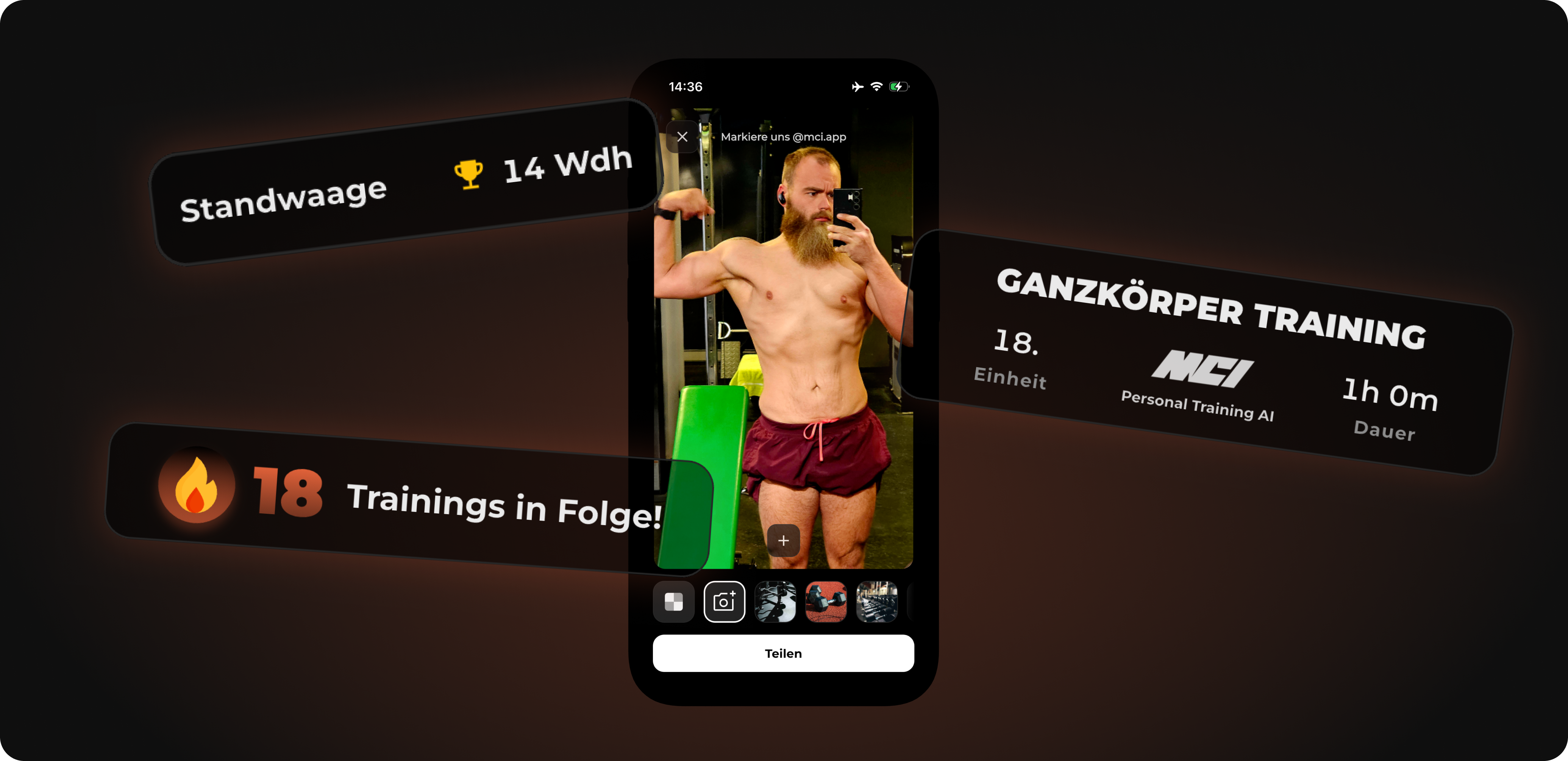
You crushed your workout? Then let the community know. We completely revamped the reward screen at the end of your workout and made it easier to share.
 Your workout, your picture: Take a photo right after your training, upload an image from your gallery or simply use one of our MCI stock images as the background for your stats.
 Custom stickers: Personalize your workout pic. You can now place MCI stickers we designed ourselves on your image – just like you know it from Instagram Stories.
 Direct share: Picture ready? With just one tap you share your success directly on Instagram, WhatsApp and more. Show that you stuck with it!
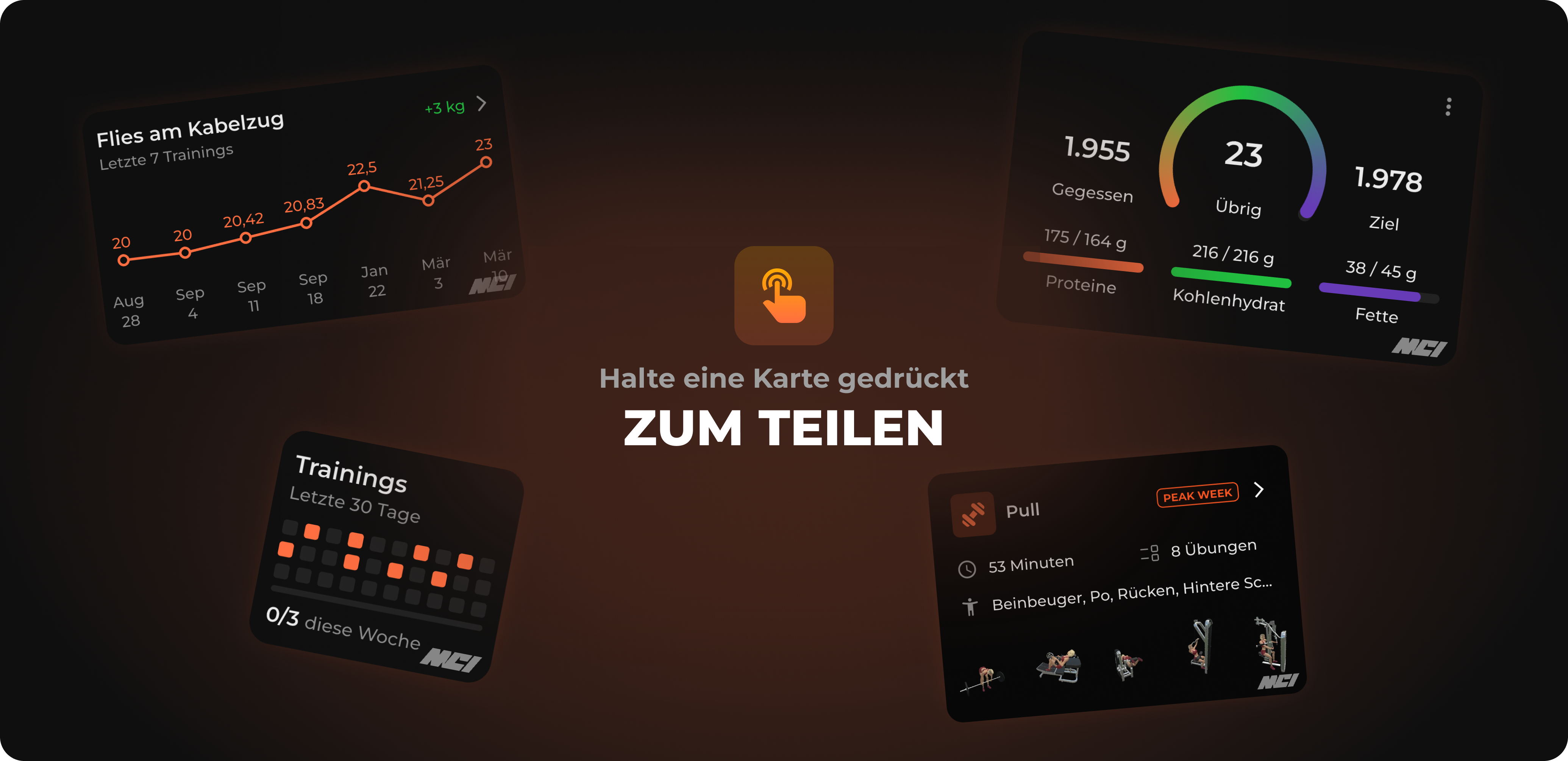
Sometimes you just want to quickly share the training plan or the perfect meal with your training partner without having to take annoying screenshots.
 Long-Press to Share: From now on you can simply press and hold many of our cards (e.g. your training card or a meal). The share menu opens right away and you can send the info to your friends in a clean design. Saves time and looks good.
We’ve also tweaked your setup during training so you stay 100% focused.
 Smart break tracking (Apple Watch): No more constantly staring at your phone! When your break time is over, you’ll now get clear haptic feedback (vibration) on your Apple Watch. Time for the next set.
 Bug fixes: We cleaned things up in the background and fixed various small bugs so the app runs even smoother and doesn’t get in your way while tracking.
Do you like the new update and the direction we’re heading in? Then feel free to leave us a rating in the App Store. Your feedback helps us make MCI a little better every day.
Keep pushing and have fun with the update!
26. Feb 2026
Share
In this update, we massively focused on your nutrition, your motivation, and a clean overview. The goal: Less time on your phone, more time for your gains, and a tracking experience that’s as smooth as your setup on the bench press. Here’s what’s new:
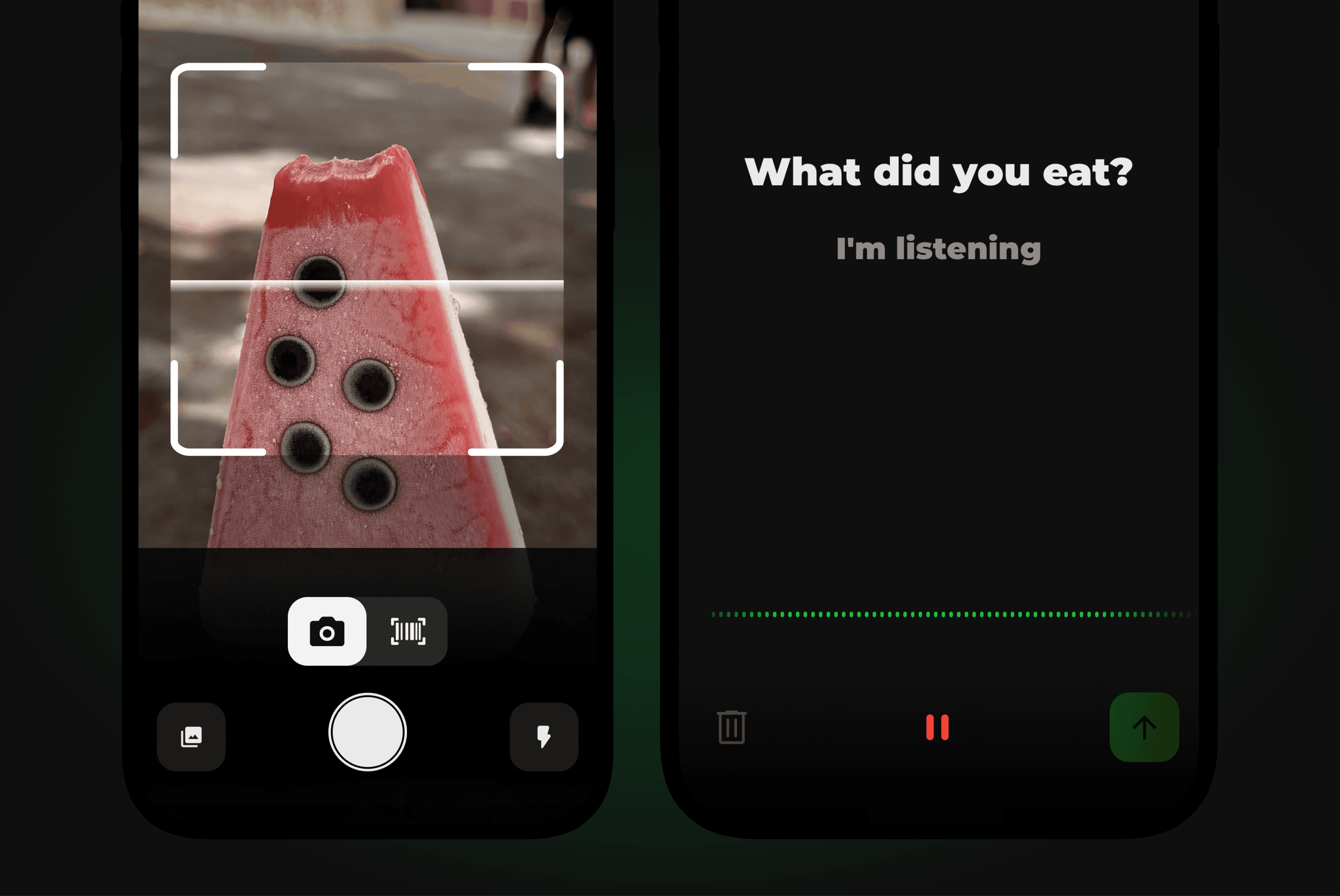
Smart Search: From now on, track your meals via text, voice, or Photo V2 – our new voice intelligence handles it.
New scanner interface: Barcode scanner and AI camera are now combined on one page.
Streak updates: Your streak gets a new design and way more presence in the app.
Training & stats: Direct access to 3D animations and the old calories widget is back.
Bug fixes: No more overlapping stat bars and clean logic for warm-up weights.
You can download the update from the App Store now.
Forget searching through endless lists. From now on, you’ll track your nutrition as intuitively as if you were sending a message to a friend. We’ve integrated real language intelligence (NLP) into the app that understands your input instantly. You just write or say: "2 slices of whole grain toast with half an avocado and 3 scrambled eggs." MCI takes care of the rest.
Here’s what’s new:
 Tracking via text: Just describe your meal in a full sentence. MCI instantly and automatically recognizes ingredients and amounts.
 Tracking via voice: Quickly dictate your meal with a voice command instead of typing it all out. Don’t feel like searching for every single ingredient? Just say it and the app handles the rest. Perfect when you’re on the go.
 Tracking via photo V2: Thanks to a new algorithm, image recognition now works way more stable and precise than ever before.
 Barcode & AI combined: We’ve merged the barcode scanner and the AI camera for you on a single page. Your benefit: an extremely clean and easy-to-navigate interface. No more unnecessary swiping back and forth – just point, scan, and you’re done.
Your streak is proof of your discipline. That’s why we expanded the feature and gave it the spot it deserves.
More presence: From now on, your streak is integrated much more prominently into the app. You can now see it, among other things, right on the reward screen and in the completely new Streak Overview Page. Always in sight so you stay motivated and keep going. No excuses!
There are also nice upgrades in the gym and in how your data is analyzed so you can keep an optimal eye on your progress.
Direct 3D animations: In the Exercise Sheet, you can now jump straight from the animations to the 3D view including the exercise description. Perfect to have the execution right on point before the set.
Calories widget: You spoke, we listened. The old “Calories burned” widget has been brought back to avoid confusion.
Clean stats: The bars in the stats no longer overlap and the views are now displayed absolutely consistently in all areas.
Warm-up sets: A bug was fixed where changing the available weights in the warm-up set mistakenly affected the warm-up weights themselves.
Cardio tracking: Manual activity tracking for cardio now also works smoothly in the edit sheet when you’re using the app in English.
Do you like the direction we’re heading in? Then feel free to leave us a rating in the App Store. Your feedback helps us make MCI a little better every day.
Have fun with the update!
03. Feb 2026
Share
In this update, we dove deep into the generator logic and the design of your stats. The goal: an even more precise training experience and a clearer app. Here’s what’s new:
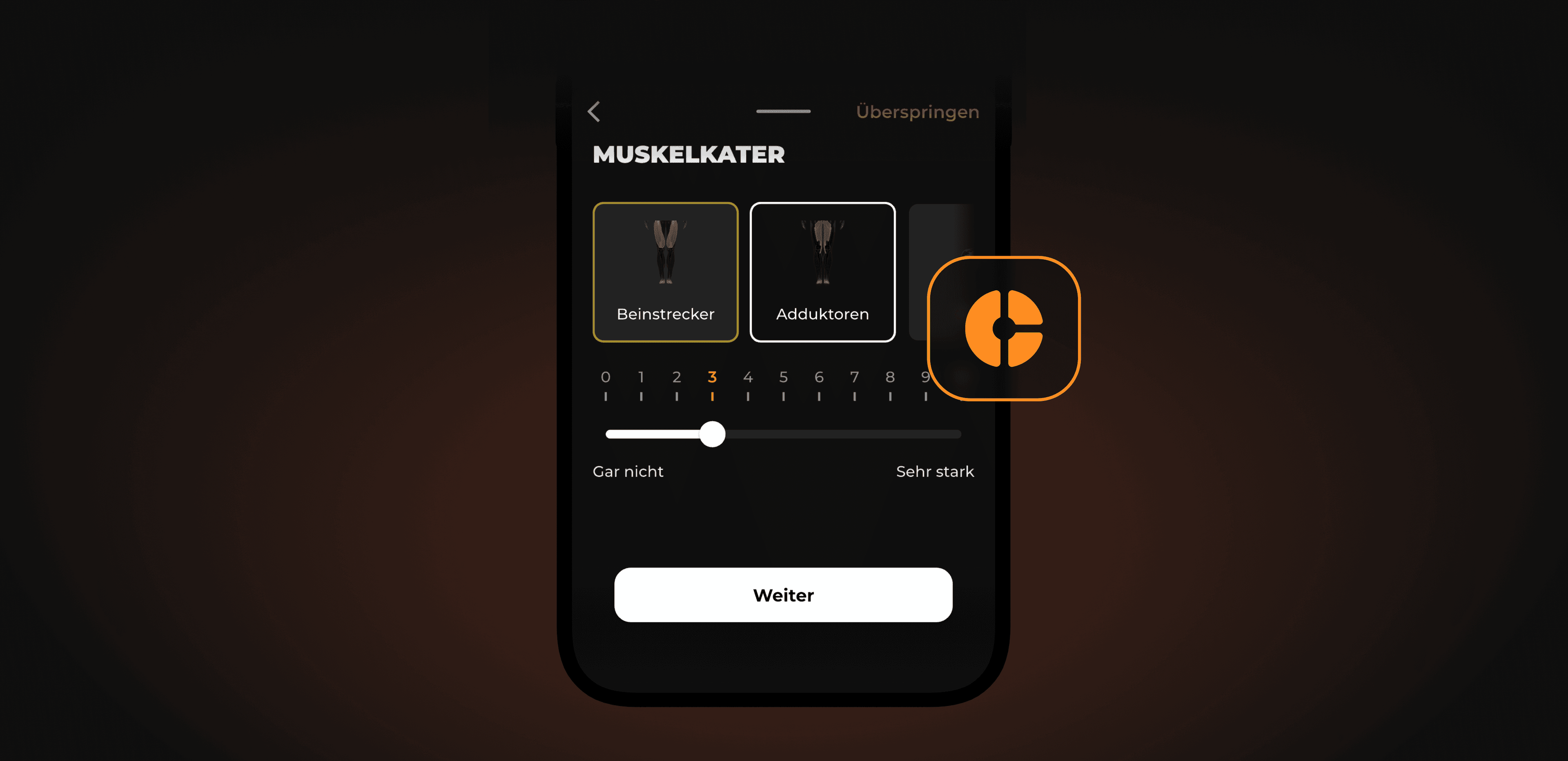
Expanded sore-muscle tracking: You can now also enter soreness for supporting muscles (synergists).
Smarter pain management: The generator now responds more consistently to severe pain.
Design upgrade: Wider stats widgets for better clarity.
More accurate time planning: One-sided (unilateral) exercises are now correctly included in the total duration.
You can download the update from the App Store right away.
We refined MCI’s algorithm so your plan reacts even better to your body.
Pain & soreness
Extended muscle soreness tracking: Until now, you could usually only enter muscle soreness for the main muscle groups. Now you can also log the status in detail for supporting muscles (synergists). The result: the algorithm can fine-tune the load for the next workout even better and reduce the volume if needed.
Safety first: If you enter a pain level above 5, the app now automatically deactivates the affected muscle group for the upcoming workout. That way we prevent overloading more effectively.
Time planning
Unilateral exercises: Training days with one-sided exercises (e.g. lunges) take longer in reality. The time calculation now takes this into account correctly so that your planned time matches the real time.
We tweaked the visuals to present your data in a nicer and more relevant way.
Widget updates
Hyper statistics: Your progress widgets now use the full screen width (similar to the weight widget). That not only looks cleaner, it also makes the data easier to read.
Optimization for Austria & Switzerland
Users from Austria and Switzerland now benefit from the same prioritization in the food search as users from Germany. We’ve aligned the database for everyone so you can find your products faster and more reliably.
Live Activities: We fixed a bug where the display on the lock screen (loading state) sometimes froze when you switched apps quickly.
Onboarding: When creating a new plan (Meso), one day is now preselected so it’s more intuitive that you can also set the time here.
Generator logic: We harmonized the attributes for progression series in the background so that exercise progression runs even more smoothly.
Do you like the direction we’re heading in? Then feel free to leave us a rating in the App Store. Your feedback helps us make MCI a little better every day.
Have fun with the update!
13. Jan 2026
Share
This update brings small but effective features that improve your training flow and make your tracking more precise. We’re happy to introduce the following:
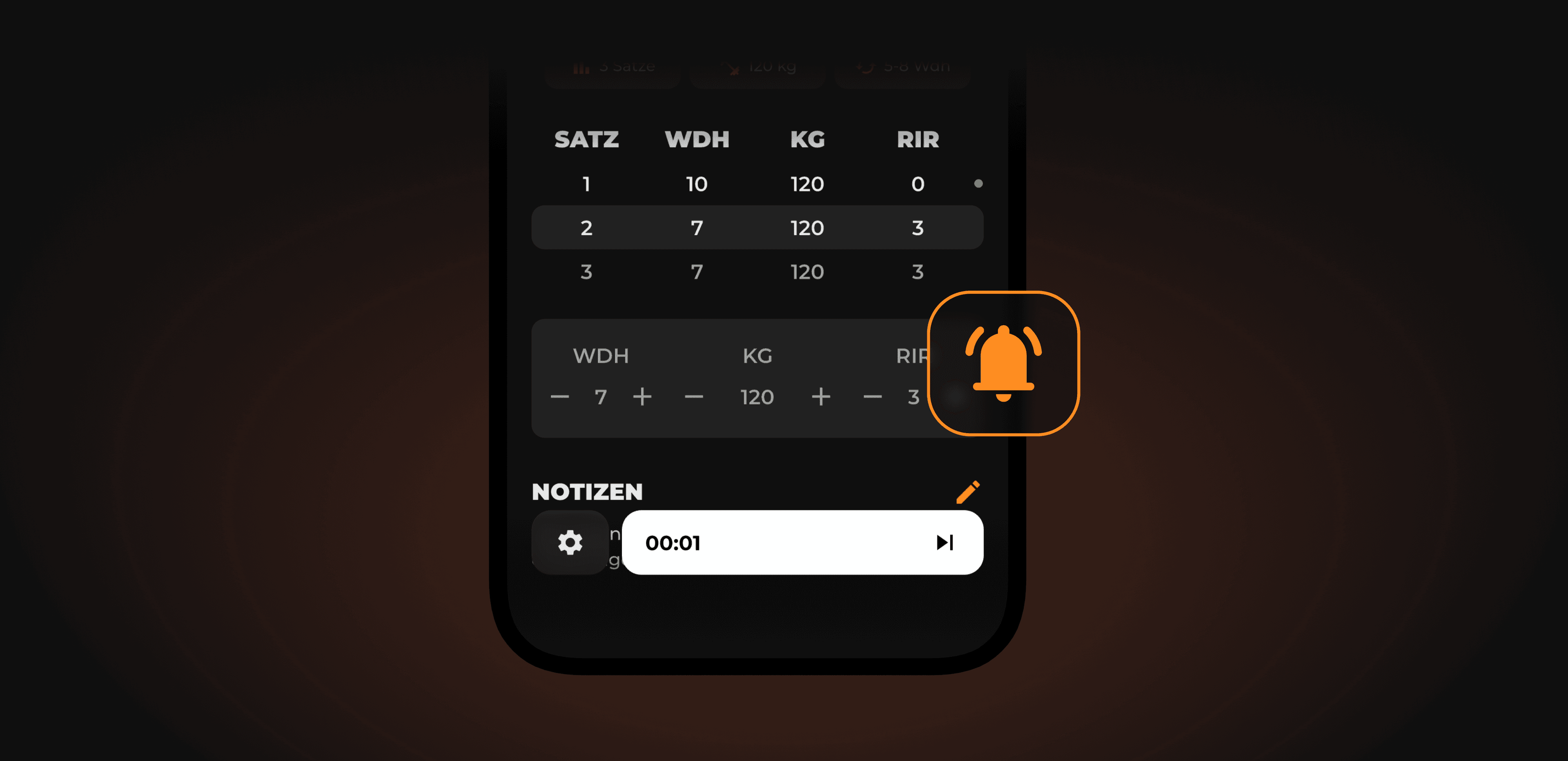
Pause signal: An acoustic tone at the end of your break pulls you back into the set.
Time-based exercises with weight: You can now also track additional weights for time-based exercises (e.g. planks).
Improved photo tracking: Food recognition via photo is now significantly more reliable.
You can download the update from the App Store right away.
From now on, the app plays an acoustic signal as soon as your pause timer has run out.
Why we built this: We all know the situation: you use the break between sets to quickly check messages – and suddenly five minutes have passed, even though you only wanted to take a 2-minute break. The new signal serves as a clear reminder. It pulls you straight back into your workout so you keep your focus, stick to your break times, and maintain high intensity.
We’ve expanded the flexibility when logging. Until now, for time-based exercises you could only record the duration. Now you can also enter additional weight here.
The benefit: Progressive overload (progress through increased load) doesn’t stop at counting reps. If you’re doing advanced bodyweight exercises and, for example, perform planks with a weight plate on your back, you can finally document this progress cleanly now.
In addition to the new features, we also worked on the reliability of nutrition tracking.
Photo tracking optimization: We’ve improved the algorithm behind photo tracking. The recognition now delivers significantly more reliable results. The error message "No results found" appears much less often now, so you can log your meals faster and with less frustration.
Live Activity: optimization: We’ve improved the stability of Live Activity so it works more reliably.
Rate MCI
If you like MCI, we’d be happy if you could leave us a review in the App Store.
Have fun with the update!
05. Jan 2026
Share
This update is all about the core of MCI: the training plan generator. We've completely reworked the algorithm to make your training more precise, logical, and above all - more practical for everyday life.
Here's what's new:
Strict scheduling: Workouts starting from 45 minutes are now possible – and the set time is matched with higher accuracy.
Improved volume distribution: The synergists and small muscle groups (e.g. neck) are considered more precisely.
Better exercise selection: The movement direction of some exercises was reworked and pain is now considered even better.
Mobility V2: Your mobility training is now based directly on your camera screening (error pattern), your pain, and your everyday posture.
You can get the update right now in the App Store.
From now on, effective training plans are possible from just 45 minutes.
Why we changed it “MCI for your everyday life.” We know: If training fits into your busy day, you'll stick with it for the long run. That's the only way you'll reach your fitness goals. That's why we now strictly respect the time you set and at the same time give you a recommendation for the optimal duration.
To make sure training is still effective even when you're short on time, we've improved a lot in the following details:
We improved the details. The distribution of training volume is now calculated much more granularly.
What's new
Granular breakdown: The generator now plans in more detail. For example: Even smaller muscle groups like the neck (traps) can now be targeted specifically with e.g. 2 sets, instead of just being "included by accident".
Synergists: We now calculate much more precisely how much secondary muscles (synergists) are stressed during an exercise. This prevents overuse and ensures more balanced stimulus.
Not only how much you train, but which exercise you train has improved.
What's new
Balanced plan: The direction of movement for the exercises is considered more, making sure your workout plan is more balanced.
Pain and everyday posture: Existing pain and your daily posture count for more.
Optimized flow: The order of exercises has been tweaked. The workout just feels smoother.
We’ve completely reimagined Mobility and built it right into the generator. Your mobility routine isn’t made automatically anymore, but instead now directly factors in:
Error Pattern (Fehlerbild): We use the results of your movement analysis (screening) to address exactly the restrictions that limit you.
Pain details: Your acute or chronic pain determines which exercises we pick.
Posture in everyday life: Whether you sit or stand a lot now directly affects your mobility plan.
Why we built this Mobility shouldn't be an annoying "extra," but the counterbalance to your workout. With this data we create the optimal balance to strength training. The goal: Specifically fix imbalances so you stay strong and mainly pain-free over the long run.
Rate MCI
If you like MCI, it would be awesome if you could leave us a rating in the App Store.
Have fun with the update!
29. Dec 2025
Share
In this update, we’re bringing some long-awaited features that give you more flexibility in your training and clarity with your nutrition. We’re excited to introduce:
Extra workouts: The freedom to create, track and save your own strength and mobility routines completely separate from your plan.
Redesigned nutrition: A new structure with standard meals (breakfast, lunch, dinner, snack), verified portion sizes, and a faster search.
Active workout timer: A new widget that always takes you straight back to your active workout.
And many more quality improvements throughout the app.
You can download the update from the App Store now.
We're introducing Additional Workouts as something new: a feature that gives you full autonomy over your training routine. While our holistic plans are the core of MCI, we know that fitness isn’t always linear. Sometimes you want to add on an extra mobility session or try out a special kind of workout.
You can now build training days from scratch, which gives you the flexibility to log exactly what you've done.
Why we developed this
You’ve wanted the option to log workouts freely, without messing up your actual plan. This feature lets you seamlessly integrate your own routines into the MCI ecosystem.
Note: This infrastructure also forms the foundation for major features coming soon, where flexible logging will play a crucial role.
What's coming your way
Create & Log: Build totally free workouts, for both Strength and for Mobility.
Save routines: Made a session you liked? Save it so you can do it again later.
Full flexibility: Perfect for days when you want to do more than your plan says, or if you want to add your own routine into MCI.
We've reworked the flow for logging your nutrition to give you more guidance and a better overview of your day. The goal was to make things clearer and give you better help for your eating habits.
What to expect
Meal categorization: We're introducing four standard meals: Breakfast, lunch, dinner, and snack. This makes your daily log way cleaner and helps you structure your day better.
Verified portion sizes: For verified foods, we've added specific portion sizes so you don't have to guess amounts anymore.
Redesigned search: Searching the food database has been revamped. It's now way faster and more reliable, so you can find exactly what you're looking for.
Performance: The whole process of logging meals now runs more smoothly and responds faster.
We've added two important "quality of life" improvements that make the actual training experience a lot smoother.
Active training timer
You now see a new widget for active trainings in the app as soon as a session is running.
The benefit: You see right away if a training is active in the background and can jump straight back in with just one click. That makes the flow between checking other stats and logging your workout way smoother and easier.
Editable set history
Now you can edit all completed sets afterwards, not just the last one you logged.
The benefit: We know you might mistype things sometimes. It used to be tricky to fix mistakes in earlier sets. Now we’ve removed that obstacle so logging feels easy and accurate.
In addition to the extra trainings and the nutrition update, we’ve fixed lots of bugs and worked on performance so that MCI runs smoothly.
Rate MCI
If you like MCI, we'd be happy if you leave us a review in the App Store.
Have fun with the update!
17. Oct 2025
Share
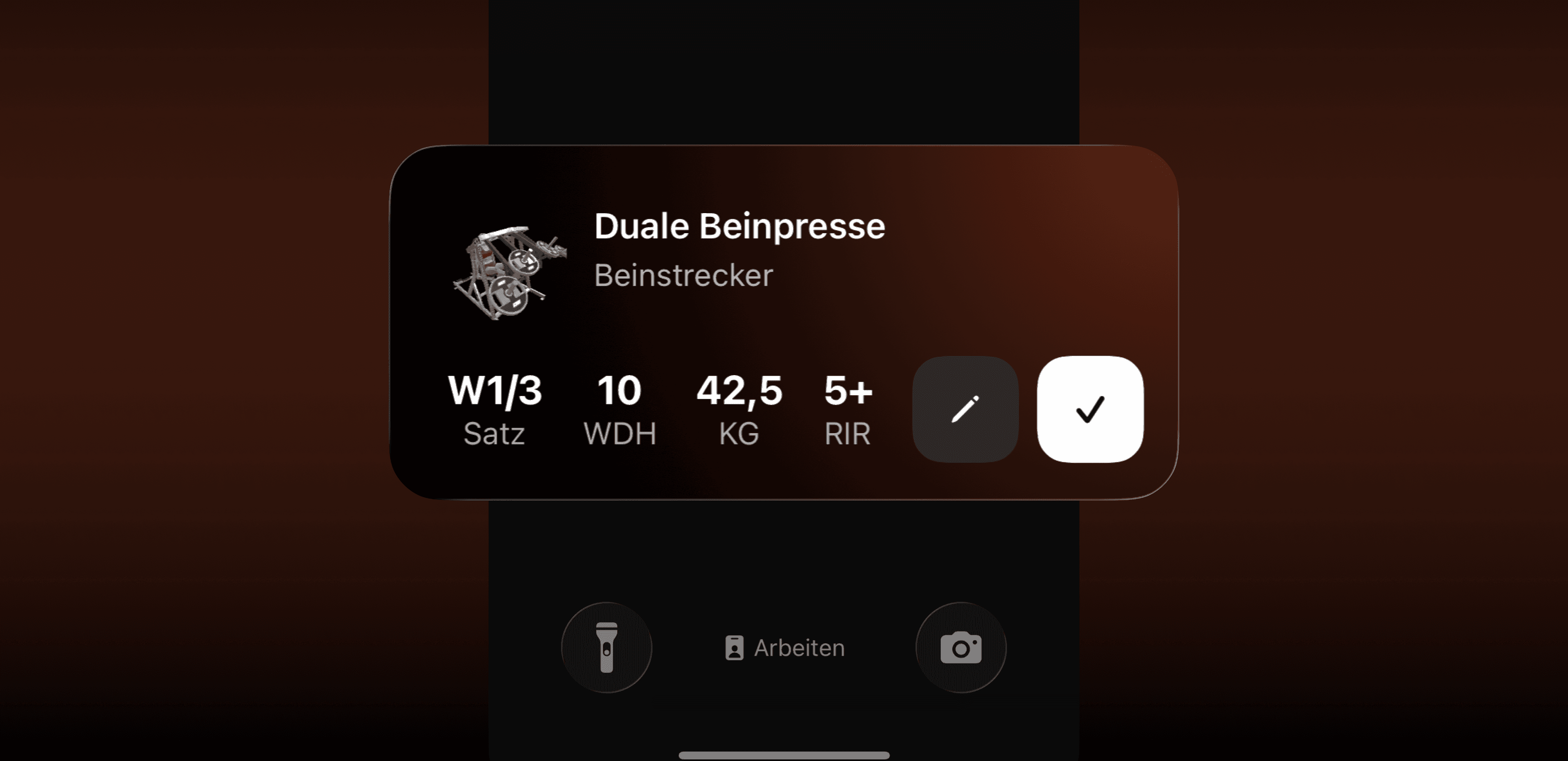
New: Live Activities for iOSLog sets and breaks right from your lock screen. No unlocking, no distractions. Your focus stays on your workout. Right now the feature is exclusive for iOS users.
From now on, you can do your whole workout using the Live Activity on your phone's lock screen. You'll see the current exercise with the right weight, reps, and RIR. Once you finish your set, the break timer runs straight on the lock screen too.
How it helps you:
Everything in view: current exercise with weight, reps, and RIR.
Keep your pace: break timer starts up automatically after every set.
Fewer taps: no app switching, you stay in the flow.
You’ll now find 89 new mobility exercises in the app. They’re perfect for warm-ups, recovery, and getting better at your technique. Pick the right drills and drop them right into your workout.
We've also fixed several bugs and improved the UI.
If you have any feedback about the new features, let us know via in-app support. 💪🏼
